Note apps that survive a phone change
Typing feel and search speed you can judge in an afternoon. Whether you can leave takes years to find out — unless you run the export on day one, with five notes instead of three thousand.
Short answer
Judge a note app on whether you can leave it. Run its export on day one with a note containing an image and a recording, then open the result in something else — text that arrives as Markdown or HTML with its attachments intact is portable, and a proprietary archive only that app can restore is not.
On this page
You buy a new phone, restore from a backup, and three years of notes are there — except the formatting, or the attachments, or the folders. A note app is software whose value is entirely in what it still holds five years from now, which makes portability the feature that matters and the one nobody demonstrates.
Everything else about a note app is easier to judge. The typing feels good or it does not, the search is fast or slow, the widget exists or it does not. Those you can assess in an afternoon. Whether you can leave takes years to discover, unless you check deliberately at the start.
The three ways notes actually get lost
Not dramatic ones. Nobody deletes a database. The losses are quieter than that.
- The format was never portable. Notes stored in a proprietary container come out as a file nothing else opens, or not at all.
- The attachments were separate. Text exports cleanly and the images, recordings and PDFs stay behind, silently.
- The structure did not survive. Folders, tags, links between notes and pinned order are metadata, and metadata is the first thing an export drops.
The third is the one that hurts most and gets checked least. Two thousand notes in a flat folder with no tags is technically all your data and practically a different thing from what you had.
What to check before you commit
Do this on day one with five test notes, not on the day you leave with three thousand.
Export the whole note app and open the result. Not "does it have an export button" — run it, and open what comes out in something else. Markdown, HTML and plain text are readable anywhere. A .zip of proprietary files is not an export, it is a backup only that app can restore.
Put an image and a recording in a note, then export again. Attachments are where exports quietly go wrong. Either they come out as files next to the text with working links, or they do not come out at all.
Check what happens to structure. Do folders become directories? Do tags survive as anything? Is the note's creation date preserved, or does every file arrive stamped with today?
Find out where the notes live while you are using them. On the device, in the vendor's cloud, or in a folder you chose. That third option is the one that makes the question moot — files in a folder you control cannot be trapped.
| Storage model | Leaving costs | If the vendor disappears |
|---|---|---|
| Plain files in your own folder | Nothing — they are already yours | Nothing changes |
| Local database, good export | An export and an import | You have the export |
| Vendor cloud, good export | An export, plus deleting the account | Depends on notice given |
| Vendor cloud, no real export | Retyping | You lose it |
A note app is a filing cabinet you are renting. The question is not how nice the drawers are, it is whether you can carry the papers out.
Does a subscription make the risk worse?
Not directly, and the intuition here is usually backwards.
A paid app has a reason to keep existing. A free app with no revenue is likelier to be abandoned, and abandonment is the most common way software stops working — not shutdown, but an OS update it no longer survives. Paying is weak evidence of continuity.
What a subscription changes is the shape of the failure. When you stop paying, three things can happen, and they are not equivalent:
- The app becomes read-only. Your notes are there, you cannot add more. Recoverable.
- The app locks entirely. Notes are on the device and unreachable without paying again. Recoverable only by paying.
- Sync stops and the local copy stays. Usually fine, unless the local copy was never complete.
Number 2 is the one to ask about before subscribing, and it is answered in the app's own support pages more often than people expect. If it is not answered anywhere, treat that as the answer.
Which note app suits which habit?
Portability settles whether you can leave. It says nothing about whether you will want to, and that is a question about how you actually work rather than about features.
If you write long and revise often, the thing that matters is the editor — cursor behaviour, undo, how it handles a 4,000-word document. Most note apps are built for short capture and degrade badly past a few screens.
If you capture in seconds and read later, speed of entry beats everything. A note app that needs two taps and a folder choice before you can type will lose to the one that opens on a blank line, and you will notice this forty times a day.
If you are mostly filing reference material, search quality is the whole product. Test it with a term that appears inside an attachment, not just in the body, because that is where implementations diverge sharply.
If several people touch the same notes, this article's advice inverts. Shared editing needs a server, a server means an account, and an account means the portability questions above get harder rather than easier. That is a real trade, not a failure — just make it knowingly.
The apps that dodge the question entirely
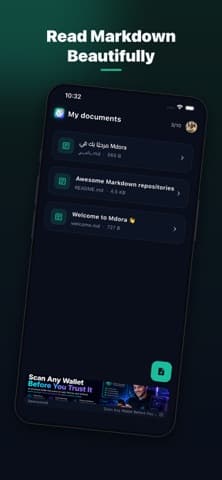
A note app that reads and writes ordinary files in a folder you nominated has no lock-in to check, because there is nothing proprietary in the middle. Mdora works this way with Markdown files — it opens what is already on the device and writes back the same format, so "exporting" is not an operation that exists.
That model has real costs and they should be stated. There is no server-side search across devices, sync is whatever your file provider does, and collaborative editing is not on offer. For a lot of people that trade is worth it; for a team it usually is not.
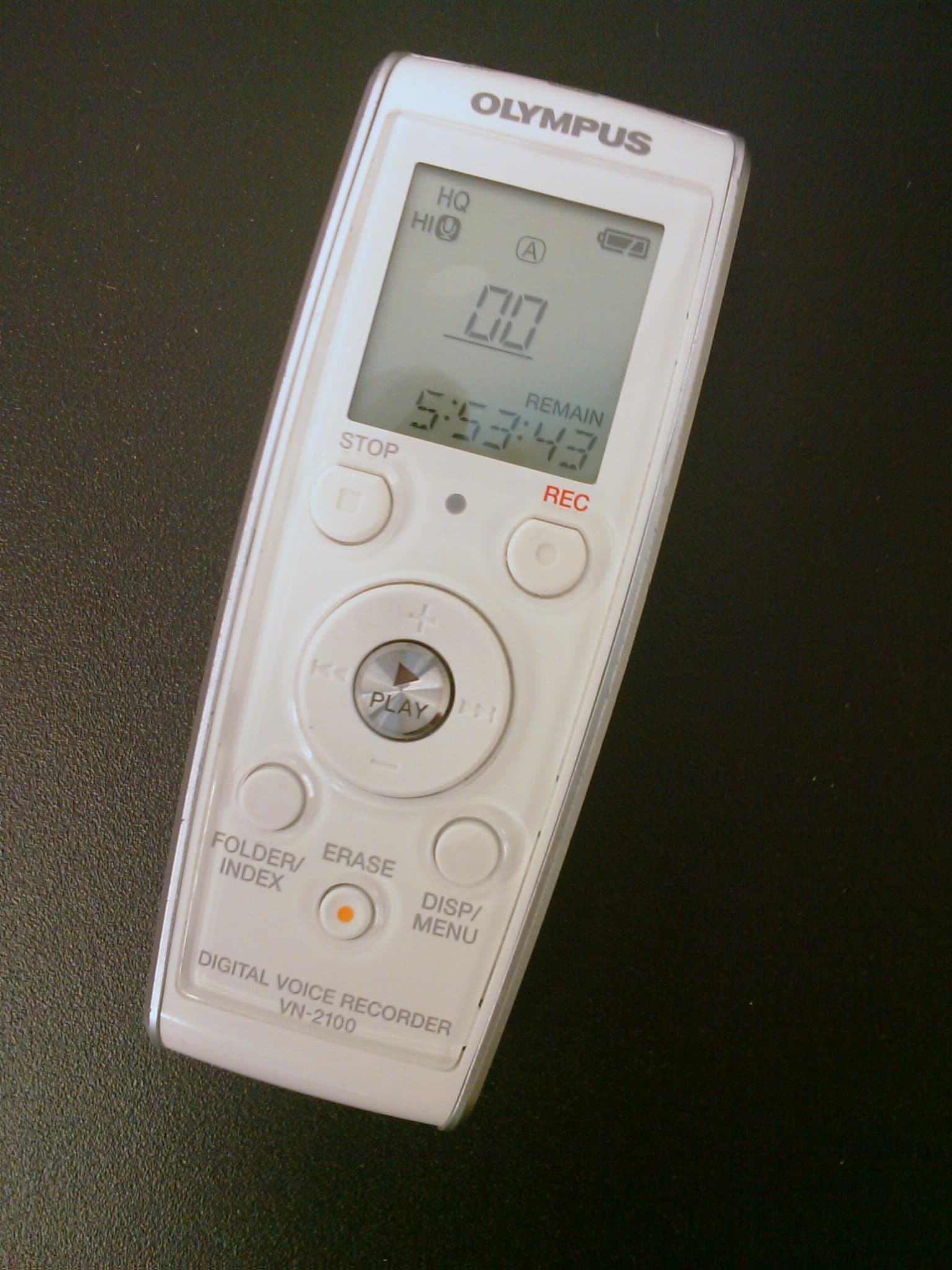
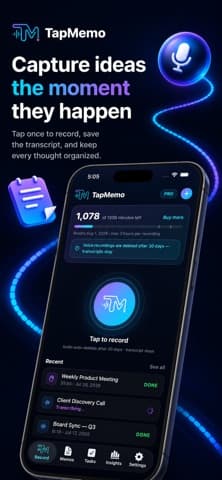
The voice equivalent is worth mentioning because it is where portability fails most often. A recording app that transcribes gives you two artefacts — the audio and the text — and plenty of apps export one without the other. TapMemo keeps both against the same note, which is the property to look for regardless of which app you pick, because a transcript with no audio cannot be re-checked and audio with no transcript cannot be searched.
How do you actually move when the time comes?
Assume you will, once, and it goes better.
- Export before you need to. A yearly export you never open costs an hour and removes the deadline from the decision.
- Move the newest 10% first. Those are the notes you actually use. Confirm they arrived intact before moving the archive.
- Keep the old app installed until the new one has survived a month. Uninstalling is not a milestone.
- Do not convert the archive. Old notes in their original export, in a folder, are fine. Converting 3,000 notes to import them is how formatting damage becomes permanent.
Most migrations fail on step 4, because it feels incomplete to leave the archive in a different format from the working set. It is not incomplete. It is the part you read once a year, and a readable file beats a converted one.
For the broader question of whether software will still be there, our note on reviews covers the signals, and alternatives covers choosing the replacement. If you are weighing a tool that holds anything you would miss, productivity software is where those trade-offs sit.
Apple documents what a device backup does and does not include in its backup support pages, which is worth reading once — a restore is not the same as an export, and several people have learned the difference at the wrong moment.
Frequently asked questions
- Is a phone backup the same as an export?
- No. A backup restores the app and its data onto a device running the same app. An export produces files you can open in something else. An app can have a perfect backup story and no export at all.
- What happens to my notes if I stop paying?
- It varies and it is worth asking first. Some apps become read-only, some stop syncing but keep the local copy, and some lock entirely until you pay again. The support pages usually say; if none of them do, treat that silence as the answer.
- Are plain Markdown files always the safer choice?
- For portability, yes — they open anywhere and need no export. The trade is real though: no server-side search across devices, sync is whatever your file provider does, and shared editing is generally not available.
- Should I convert my old notes when I move apps?
- Usually not. Converting thousands of notes is where formatting damage becomes permanent. Import the notes you actively use and keep the archive in its original export, in a folder, where it stays readable.
Sources
- About backups for iPhone, iPad and iPod touch — Apple Support
- Data portability under the GDPR — GDPR-info
- CommonMark specification — CommonMark
Published by
Skrill
Discover useful apps, software, AI tools, digital products, reviews, comparisons, alternatives, and practical recommendations.
About the publication